AI Song Generator — Songs from Your Lyrics
An online AI song generator that turns your lyrics into a finished track with vocals and arrangement. Pick one of the curated styles or describe your own, mark verses and choruses, add stress marks — the AI composes the melody, sings your words and returns two variants to choose from.
How to create a song
Select a genre card or describe your own style: genre, mood, tempo, instruments.
Mark the structure with verse and chorus markers, add stress marks for rare words and names.
Generation usually takes 1–2 minutes; tokens are charged at start and refunded automatically on technical errors.
Compare versions A and B, download the MP3 or send the track straight to joining and video tools.
Create your own song from lyrics with AI
🔒 How we handle your data
- The connection to the site is encrypted (HTTPS).
- Files open only in your account — a direct link won't download them without signing in.
- Finished tracks are automatically deleted from the server after 30 days.
- Payment goes through a secure payment provider — it handles your card data, we don't store it.
Song style
Pick a curated style — or describe your own. The ▶ button on a card plays a short sound sample.
Styles you used recently
1000 characters is the model’s own ceiling — it accepts no more. If you run out of room: use short comma-separated descriptors instead of sentences — the model follows those better. Put the “don’ts” into the Exclude field: the model receives them together with the description, within the same 1000 characters.
The description contains a ban (“no …”). Move it to the Exclude field: inside a detailed description the model usually skips such a ban, and from the field it follows it far more often.
This style comes from a finished take, so Suno will use it word for word, without adding its own touches. Edit the text and Suno will start rewriting it again.
Describe the style in a few words — the AI expands it into a detailed English prompt.
Click to cycle: plays → does not play → no preference. This is a text hint to the model, not a hard parameter.
For example: female vocals, choir, heavy drums, electric guitar. List only what must NOT be there — the sound you do want belongs in the style field, otherwise the song is told to avoid the very thing it is being made for.
Fine-tune
Adherence — how strictly to follow the style; experimentation — how far the AI strays from the usual. Applied only if you touch them.
Higher stays closer to the chosen voice and its delivery; lower leaves more room for the new style. Until you move the slider, Suno decides.
Lyrics
Paste your lyrics. [Verse]/[Chorus] markers tell the AI the song structure — where a verse is and where the chorus goes; the buttons below insert them.
“Track sound” is a snapshot of the style and voice of a finished song. “My voice” is your recording from “Song in Your Own Voice”; the AI service keeps it for about a day. “My voice · kept” is your voice captured from a song it sang: it doesn’t expire.
A recorded voice lasts about a day with the AI service. Keep it from a song it has sung — that version doesn’t expire.
Wrote the words in one language and want the song in another? Pick the language here — an «Adapt» button appears under the lyrics. Suno sings the words as written, so the switch alone does not change the language of the song. Kazakh, Uzbek and other languages without a button: write the lyrics the way they sound and pick the closest language.
Looks like you marked the voices with words. The model does not read those and may sing them as lyrics — tap to convert them into tags. Note: a voice tag is a strong hint, not a guarantee.
✓ Before generating, check
- Word repeats — the “Repeats” button below
- Stresses in rare words — “Add stress marks”
- Structure — are the [tags] for verses and chorus in place
- Meaning — no lines that clash (dissonance)
Literal, line by line. A meaning check, not lyrics to sing.
Title (optional)
Up to 80 characters — used in the player and the file name.
A wish, not a guarantee — the final length depends on the amount of lyrics.
Tokens are charged when the run starts. On a technical error they are refunded automatically.
Generation model: Suno v6 — the newest available.
A finished song is kept on the server for 30 days, then deleted. Download it to keep it for good.
Done! Listen to the result
✨ Created with AIYour previous song is saved in “My songs”.
🎵 My songs All my generations →
Finished songs are kept for 30 days. Tap “Download MP3” to keep yours forever — on your device, even offline.
Songs in the Bin keep their files until the automatic clean-up, 30 days after generation (like any song). To erase them now, use «Delete forever».
A sample is a style card plus lyrics with markers — nothing more. The card passes its detailed sound description to the AI on its own.
Style
Lyrics
Words in square brackets are not sung: these markers tell the AI where the intro, verse and chorus are. The buttons above the lyrics box insert them.
Other samples are sung to these same lyrics — only the style changes.
The style and lyrics go into the form. Replace the words with your own and keep the markers.
Your file stays as the backing: the AI adds vocals with your lyrics in the style you describe. Upload an actual instrumental — vocals in the source will get in the way.
The selected section is played again from your description and stitched to its neighbours. Everything inside it, singing included, is replaced.
Your recording stays in the result: the AI plays instruments around it. A clean vocal or a single instrument works best — over a finished mix it will be playing a second layer on top of music that is already there. Split a finished track into stems
If the AI recognizes the file as an already released recording — including a track made in another AI service — it refuses. Tokens for a refusal are returned.
Click to cycle: plays → does not play → no preference. This is a text hint to the model, not a hard parameter.
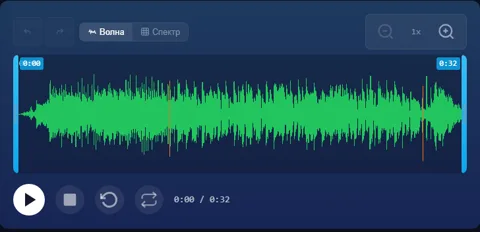
Drag across the waveform to select. An edge moves that boundary, the middle moves the whole section. Arrows nudge; Alt+arrow changes the length.
Tip: continue from the end of a phrase or chorus for a cleaner seam. The new section can be a different genre — extend again to alternate genres across sections.
The description contains a ban (“no …”). Move it to the Exclude field: inside a detailed description the model usually skips such a ban, and from the field it follows it far more often.
What the song must NOT have, comma-separated. It is a request to the model, not a switch: if the style description itself asks for what you exclude, the description wins.
Original track lyrics
Rebuilds the track hugging the original as closely as possible — helps fix a wrong stress. Each re-sing counts as a new generation.
