Colorize Old Black-and-White Video
AI-driven black-and-white to color video conversion that runs right in your browser. The neural network paints natural skin tones, sky, foliage, and fabrics — pair it with film-stock presets to match the era of the original footage.
How to colorize a black-and-white video
Upload your black-and-white video — MP4, WebM, MOV, AVI, MKV, or M4V
Pick a quality preset (Fast, Standard, or High) and an optional film-stock look
Check the colors on the live preview or run "Preview 5 seconds"
Tweak skin tone or drop a reference image to bias colors, then export
Download as MP4, WebM, GIF, or a ZIP of PNG frames
Restore color to vintage footage with a neural network
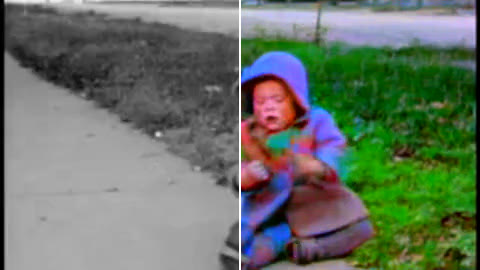
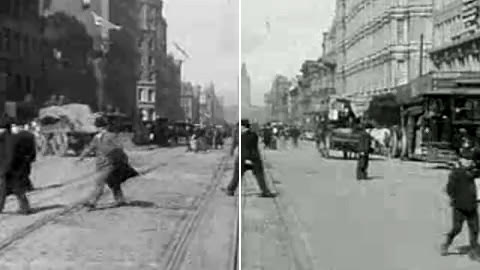
Show original video
Object colors from a reference
Color & tone
AI processing
Film & effects
Export
My saved looks
Colorized result
Per-frame correction
What this colorizer does
Why use this colorizer
AI video colorizers typically run behind a queue and watermark the output. This one runs right in your browser: the model loads once and works offline thereafter. No queue, no watermark. Pair it with film-stock LUTs to match the era of your footage and a skin-tone slider to fix the typical AI-colorization "zombie face" look.
Frequently Asked Questions
Why does colourising a video cost so much more than a photo?
Because the network has no idea what a video is: it colors one still image at a time, and a minute at 30 frames a second is 1800 separate jobs. That also explains the flaw you have to watch for — the model decides a coat is brown in one frame and gray two frames later, and the eye reads that flicker instantly even though each individual frame looks fine. Short clips of a stable scene come out far better than long ones with cuts and camera moves. The model itself is a download of about a hundred megabytes that happens once and is then kept, and the work runs on your own machine, so a laptop with hardware acceleration will be several times faster than one without.
What makes a clip too long for colourising?
Every frame goes through the network, so the cost is duration times resolution and nothing else — a thirty-second home movie at 480p is comfortable, a ten-minute feature clip at 1080p is not. The model itself downloads once, about 108 MB, and is cached afterwards, so the wait you notice on a second clip is the painting, not the loading. Trim to the passage worth coloring before you start.
Is the original audio preserved?
Yes — the audio track is copied unchanged into the MP4 and WebM outputs. GIF and the PNG-frame ZIP have no audio container, so audio is dropped automatically for those formats.
The faces came out gray and lifeless. Can that be fixed?
That is the usual first result, and there are two dials for it. The skin-tone slider nudges faces and hands warmer or cooler until they stop looking like a waxwork — a small move is normally enough. If the whole picture is off rather than just the people, drop in a color photo from the same era as a reference and the palette is biased towards it; anything from 64×64 pixels up works.
Experts on this topic
Work through it with a specialist — an online lesson or consultation, times shown in your time zone.
We can! Just send us a quick message with your idea. If you'd like to discuss it in detail, leave your email and we'll get back to you. You can stay anonymous.